
Connect Oh My Pi (OMP) to ApiClo
Oh My Pi uses ~/.omp/agent/models.yml for a custom ApiClo provider. Set baseUrl to https://apiclo.com/v1, api to openai-completions and apiKey to the environment variable name APICLO_API_KEY. OMP and Pi have different configuration files and key syntax.
Try ApiClo with your own question
New here? Select “Try for free”, sign up and complete the quick check on the Gift page. Eligible new users can spin the wheel to win credit for requests.
Gift eligibility and rulesVerify the model: Hvoy and CCTest reports, screenshots and instructions
Before you start
- Create a separate ApiClo API key and check balance and the selected model's current rates.
- Use the client version matching the linked documentation. Keep credentials out of project files.
Steps
Connection
Set APICLO_API_KEY before starting omp. In models.yml, add the apiclo provider using the example below; preserve existing providers.
Model and credentials
Add model IDs from ApiClo's current table. For supported vision models declare input: [text, image]; do not copy context or output limits from a different model.
Verification
Run omp models apiclo and select your model. A disabled provider is excluded even with valid credentials, so check disabledProviders when it does not appear.
Examples
macOS / Linux
export APICLO_API_KEY="YOUR_APICLO_KEY"Windows PowerShell
$env:APICLO_API_KEY="YOUR_APICLO_KEY"~/.omp/agent/models.yml
providers:
  apiclo:
    baseUrl: https://apiclo.com/v1
    api: openai-completions
    apiKey: APICLO_API_KEY
    models:
      - id: claude-sonnet-5
        name: Claude Sonnet 5
input: [text, image]Check the result
Send one small request and inspect ApiClo Logs for the exact model, outcome and charged usage. Test tool calls and images separately. Cache settings in the client do not prove a hit: check actual read/write token counts.
Troubleshooting
- OMP treats an unresolved apiKey variable name as literal key text. Ensure APICLO_API_KEY is set; otherwise authentication fails even though the YAML is valid.
- For 401, check the active key and credential source; for 404, check the request URL and model ID. Preserve the sanitized error body for support.
Compatibility and billing
ApiClo is an independent gateway. A client integration does not include that client's subscription or guarantee all its features. Compare ordinary input, cache reads, cache writes and output at current model rates; cache hits and savings are workload-dependent.
All documentationSee the checks. Try your own.
Open the original reports or repeat the checks with your own ApiClo key.
Claude Opus 5.5
Hvoy ·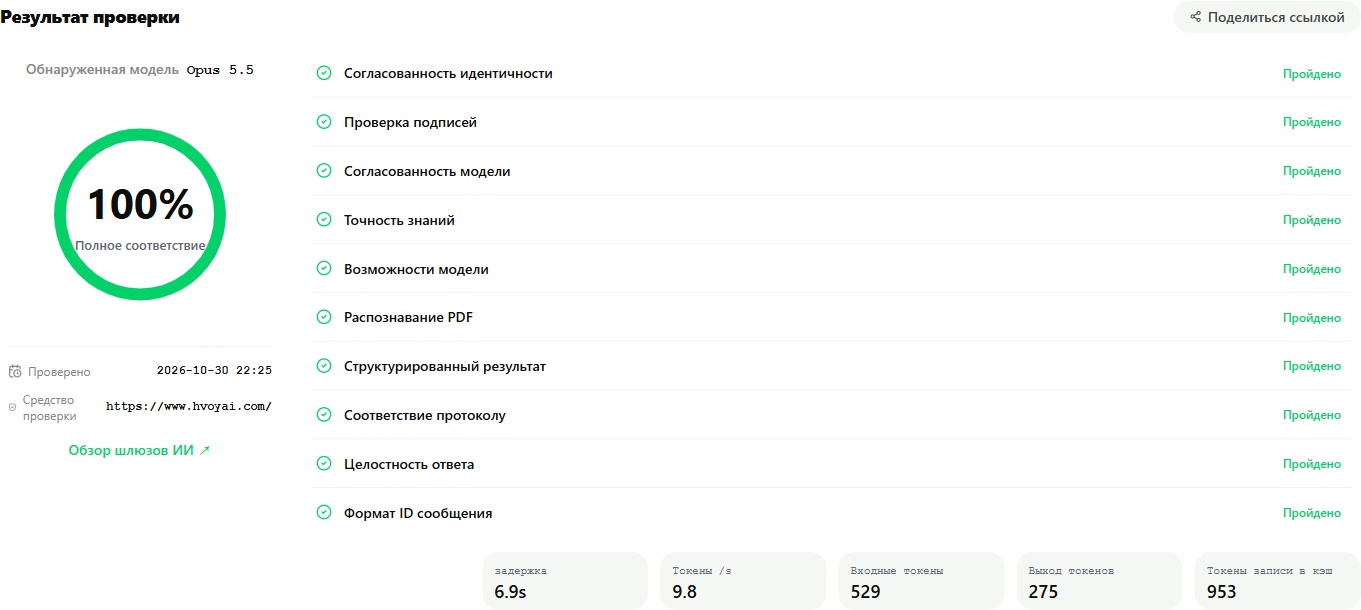
100% · All 10 displayed checks passed.
GPT 6 Astra
Hvoy ·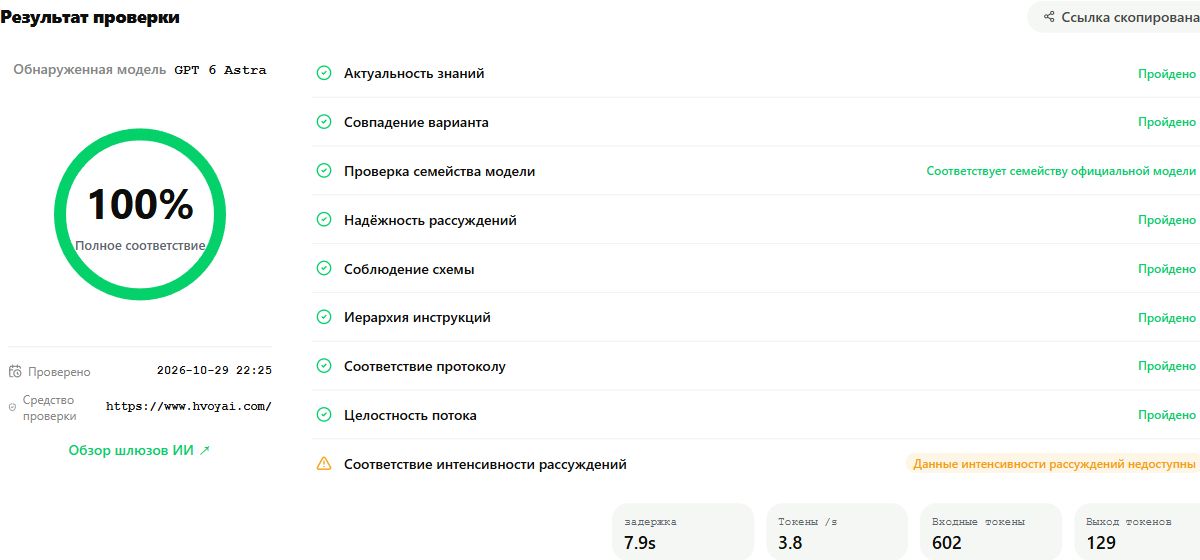
100% · Full match. Reasoning intensity data unavailable.
Claude Opus 5.5
CCTest ·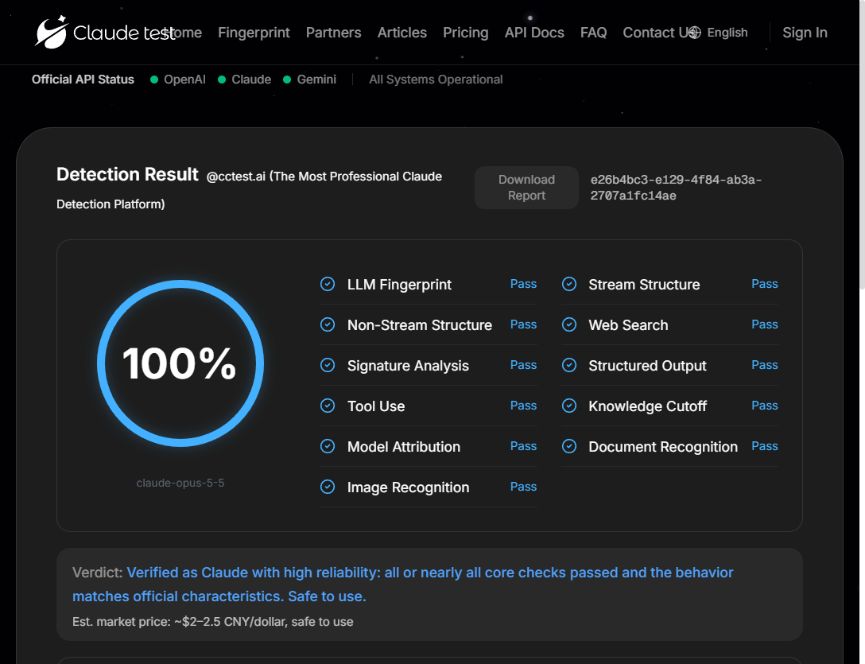
100% · All 11 displayed checks passed.
Your key. The same check.
Create an API key in your account. Check Opus with CCTest or Hvoy, and Astra with Hvoy. Use the endpoint and model ID below; paste your key directly on the test site.
- API endpoint
https://apiclo.com- Claude Opus 5.5
claude-opus-5-5- GPT 6 Astra
gpt-6-astra
Each report records one test run. Use your own key to check the current result. Test requests are billed at the selected model's rate.